
Go to “Google classroom”
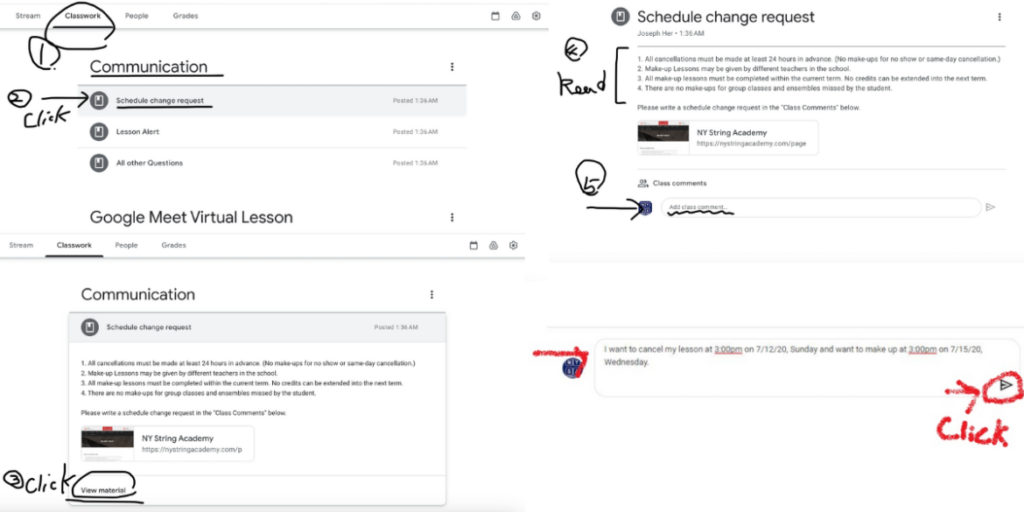
1. Click “Classwork” at the top menu” on computer ( or Click “Classwork” at the bottom menu” on phone )
2. Go to the topic of “Communication”
3. Click “Schedule change request”
4. Click “View material”
5. Read “Policy” and comment your request
6. Click “send”
7. Teacher or School Manager will reply it shortly.